Reducing busywork for tutoring teams

Reducing busywork for tutoring teams

Reducing busywork for tutoring teams

to get the best outcomes for students

to get the best outcomes for students

PLUS Personalized Learning

PLUS Personalized Learning

Designing AI-powered data dashboards

Designing AI-powered data dashboards
My Role
Product Designer

User interviews, usability tests, information architecture, UI design, prototyping in Figma, stakeholder alignment, handoff

User interviews, usability tests, information architecture, UI design, prototyping in Figma, stakeholder alignment, handoff

Team Context

I worked alongside a fellow Product Designer, under the direction of a Design Lead and in collaboration with a PM.

I worked alongside a fellow Product Designer, under the direction of a Design Lead and in collaboration with a PM.

Timeframe

January – July 2025

January – July 2025

Overview

PLUS Personalized Learning serves nearly 3,000 low-income students with math instruction from 500+ tutors. The PLUS tutor supervisor team loses hours each week to busywork and manual processes. They need an automated, efficient solution to focus on what they do best.

PLUS Personalized Learning serves nearly 3,000 low-income students with math instruction from 500+ tutors. The PLUS tutor supervisor team loses hours each week to busywork and manual processes. They need an automated, efficient solution to focus on what they do best.

Outcome

My team updated an existing, low-adoption tutor admin dashboard, significantly increasing users’ reported comfort with the PLUS app. We streamlined the information architecture, made screens easier to scan and navigate, and applied the robust PLUS design system.

My team updated an existing, low-adoption tutor admin dashboard, significantly increasing users’ reported comfort with the PLUS app. We streamlined the information architecture, made screens easier to scan and navigate, and applied the robust PLUS design system.

The Problem

"We're losing half of our data."

Tutor supervisors at PLUS manage an incredible amount of data, including lots of data that's generated live. They must monitor tutor performance in multiple sessions simultaneously and respond to learning needs as they unfold in real time. They must also monitor tutor performance over time, manage schedules, and implement research trials determined by partners in academia.

But there’s no single source of truth for the data related to all of these responsibilities.

One tutor explained that because she’s buried in manual tasks to track down the data she needs, she only receives about half of what she should.
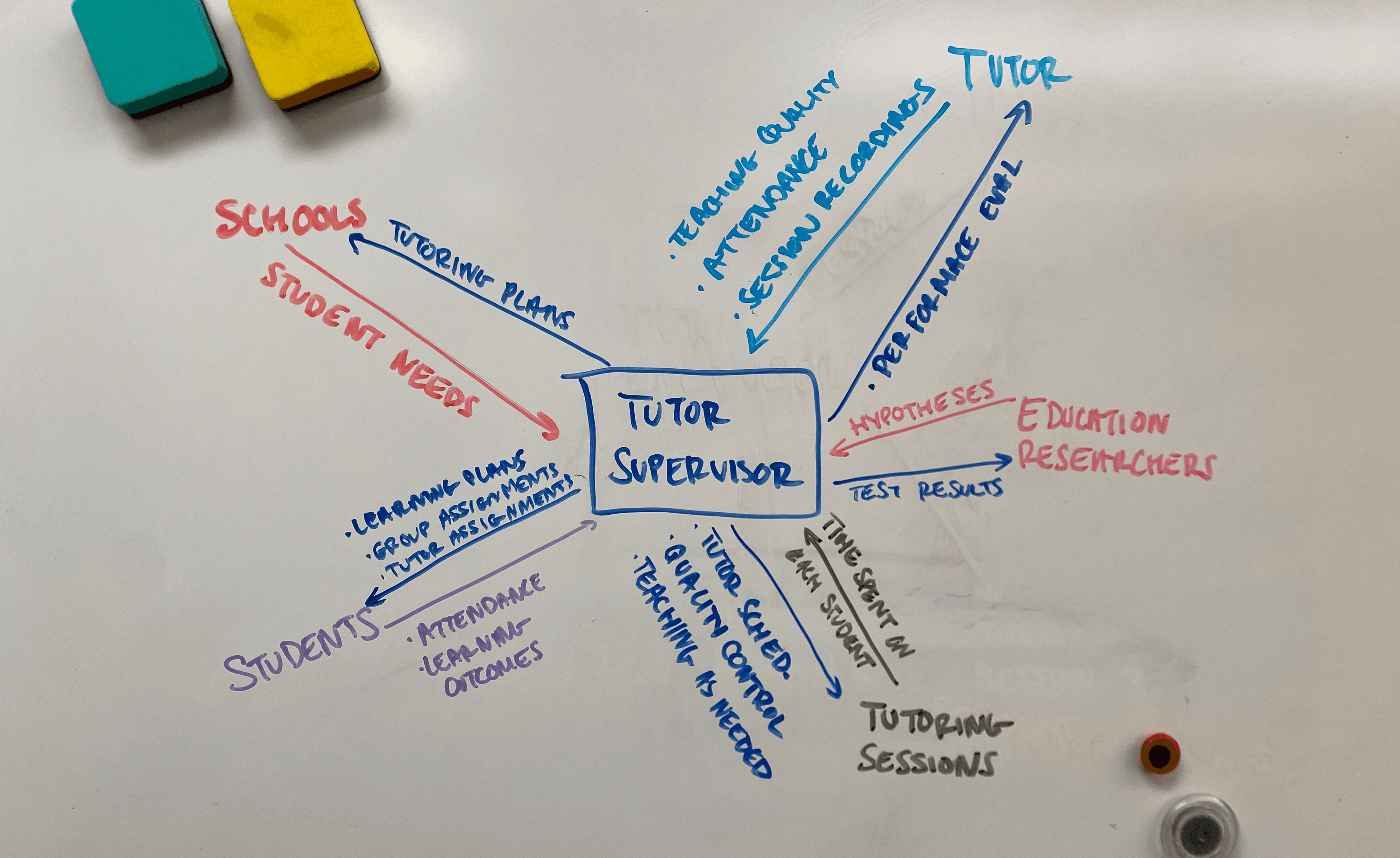
I mapped the sources of all data tutor supervisors take in and put out, to understand how the PLUS data dashboards could better serve them.

The existing data dashboard doesn't help.

Tutor supervisors reported spending only a couple of hours on the PLUS dashboard per week, mainly for sending mass emails, because it did not provide the information they needed.

Instead, they spent much of their time manually searching for data in Slack messages, spreadsheets, and video recordings.

Helping tutor supervisors will help students.

Without easy data access, tutor teams can't make proactive decisions or predict outcomes.

If we can give tutor supervisors more time to spend on forward-thinking improvements for their teams, students will receive a higher quality education.
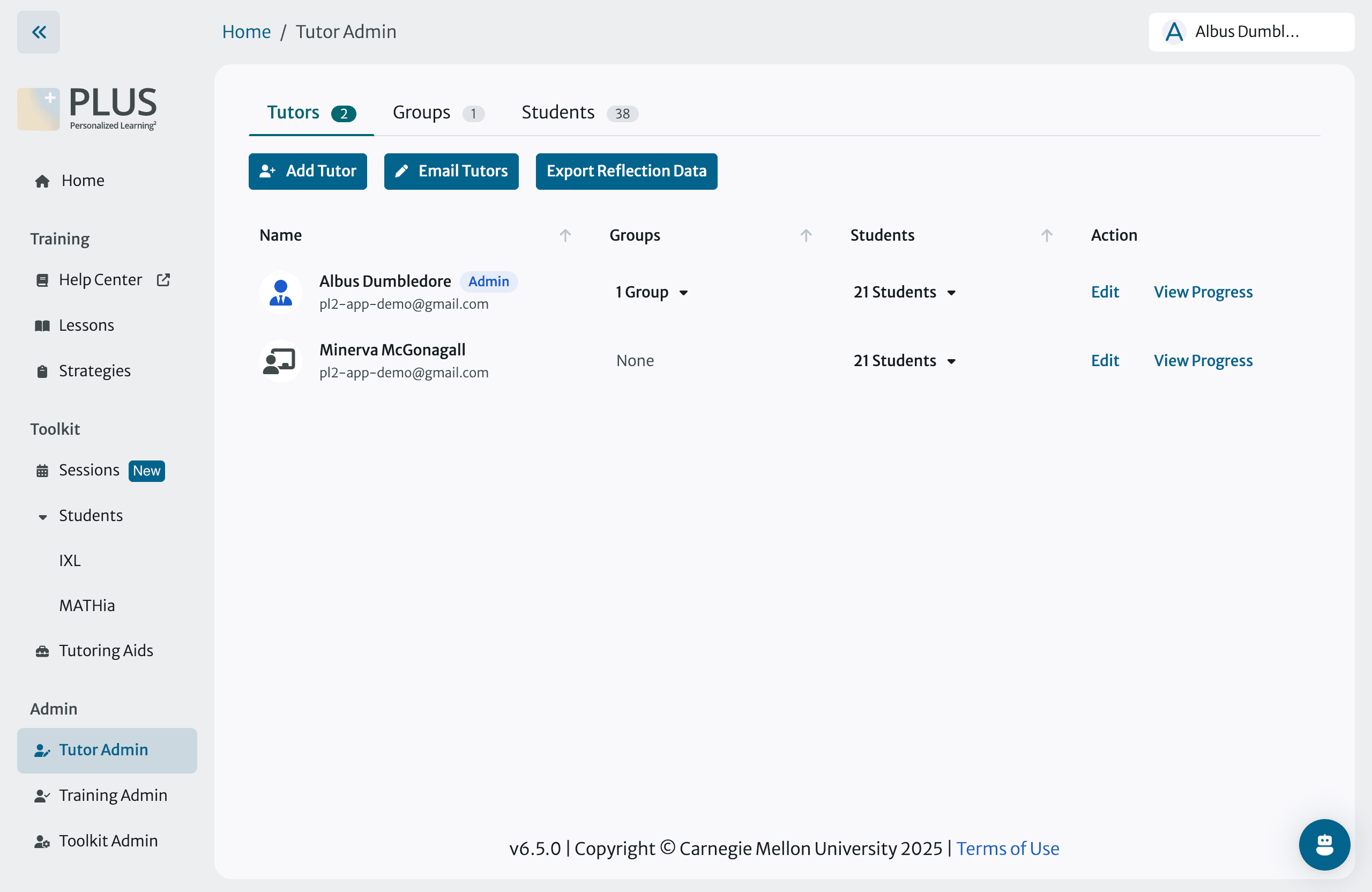
The existing, low-adoption tutor supervisor dashboard

Scoping

How do we balance our dreams against our constraints?

Our dreams:
  • Tutor supervisors easily find data within the PLUS app to make faster, stronger decisions about tutor performance and student needs.

Our constraints:
  • Time. We needed to ship files by the dev team’s deadline for updating our dashboard.

  • User hesitancy. Our users prefer lots of onboarding information before getting comfortable with major UI changes.
A sneak peek at our scoping conversations

Dividing the work into two phases

Dividing the work into two phases

We prioritized design updates that would boost tutor confidence in the PLUS app and improve their day-to-day work. We’re planning a second phase to build on our improvements with AI.

⏱️ Phase 1
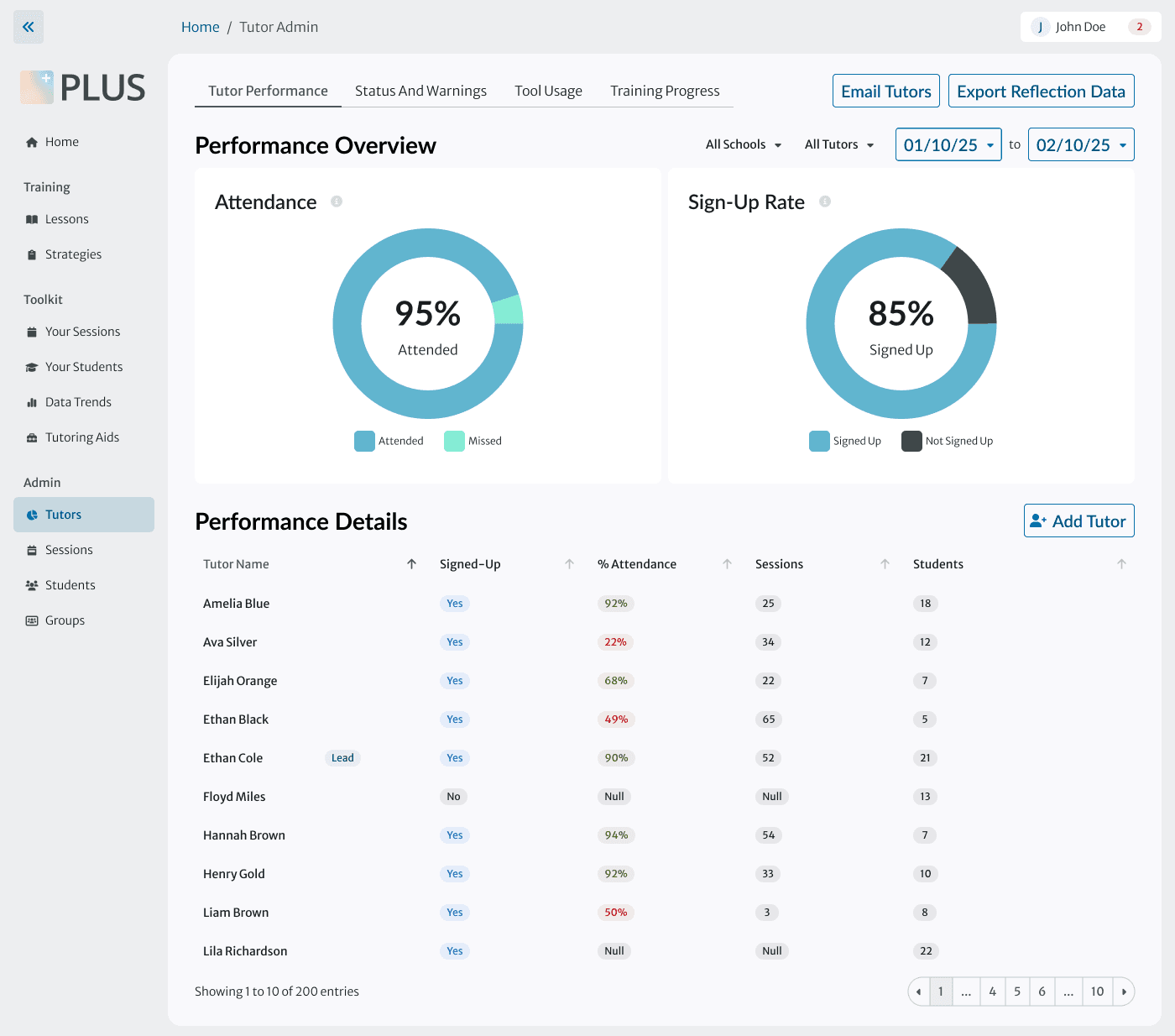
  • Incorporate data visualizations and tutor performance metrics into the dashboard

  • Align UI with PLUS design system and UX design best practices

🎯 Phase 2
  • Explore AI-powered features that will help supervisors with proactive decision-making about the tutors they manage

  • Update visual design for existing data visualizations (shown in next section)

Information Architecture
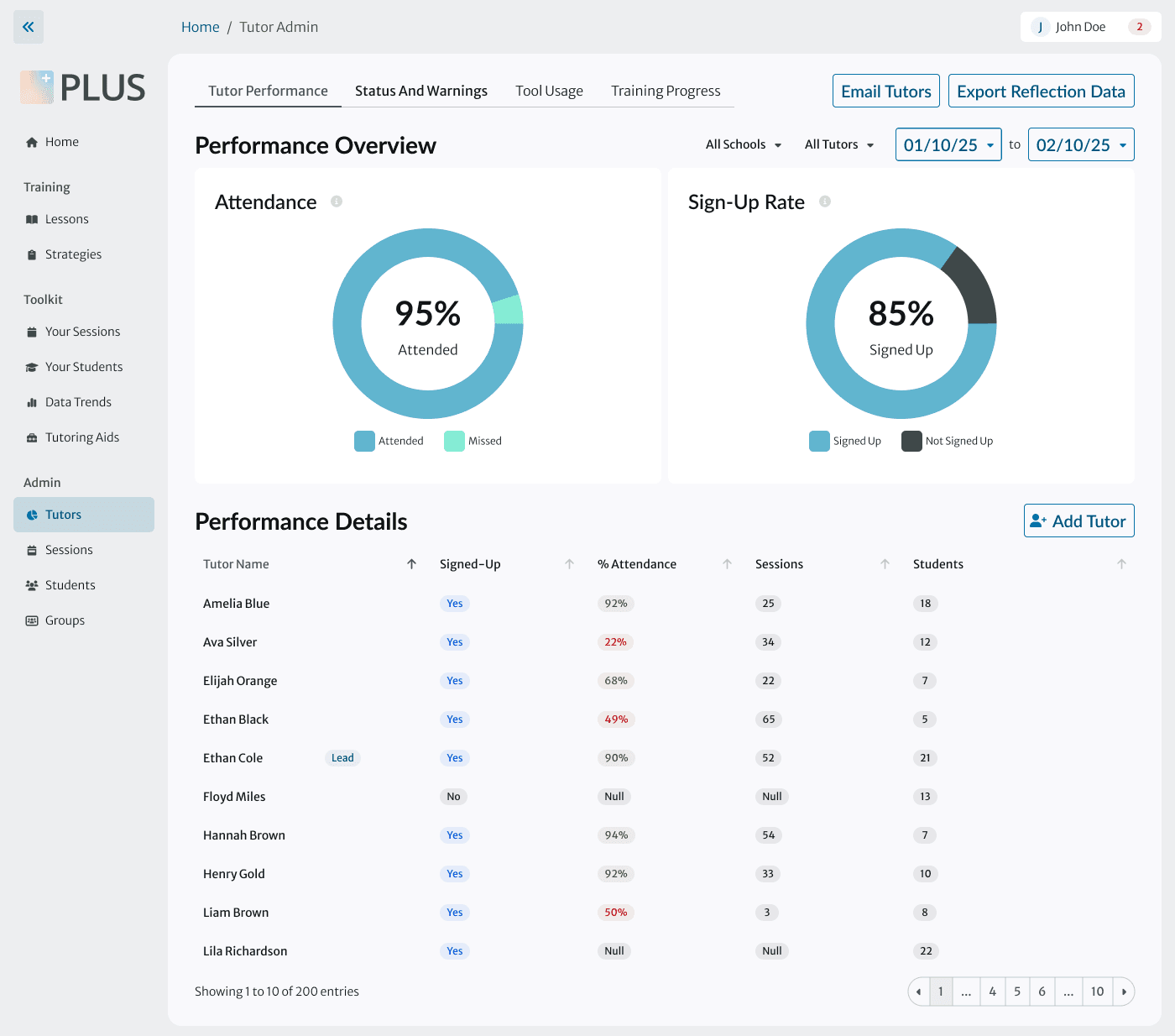
Supervisors have specific questions about tutors, and they need answers fast.

Supervisors have specific questions about tutors, and they need answers fast.

Supervisors have specific questions about tutors, and they need answers fast.

We can streamline their workflow by making information about tutors easier to find.

We can streamline their workflow by making information about tutors easier to find.

We can streamline their workflow by making information about tutors easier to find.

Before
Before
Before
Unclear how tutors are performing in comparison to baseline or to each other
Supervisors must cross-reference data housed elsewhere (Excel, Slack) with the data shown here
Ambiguous labels that make it difficult to anticipate what's found in each section
Unclear how tutors are performing in comparison to baseline or to each other
Supervisors must cross-reference data housed elsewhere (Excel, Slack) with the data shown here
Ambiguous labels that make it difficult to anticipate what's found in each section
Unclear how tutors are performing in comparison to baseline or to each other
Supervisors must cross-reference data housed elsewhere (Excel, Slack) with the data shown here
Ambiguous labels that make it difficult to anticipate what's found in each section
  • Unclear how tutors are performing in comparison to baseline or to each other

  • Ambiguous labels make it difficult to anticipate what's found in each section

  • Supervisors must cross-reference data housed elsewhere (Excel, Slack) with the data shown here

After
After
After
Supervisors can interact with and explore data
Dashboard proactively displays overall tutor performance
New labels help supervisors access the data view that suits their needs
Supervisors can interact with and explore data
Dashboard proactively displays overall tutor performance
New labels help supervisors access the data view that suits their needs
Supervisors can interact with and explore data
Dashboard proactively displays overall tutor performance
New labels help supervisors access the data view that suits their needs
  • Dashboard proactively displays overall tutor performance

  • New labels help supervisors access the data view that suits their needs

  • Supervisors can interact with and explore data

The data visualizations seen here were created by a prior design team. Our job was to identify which ones were the most helpful to tutor teams and incorporate them into the dashboard in the most intuitive way.

The data visualizations seen here were created by a prior design team. Our job was to identify which ones were the most helpful to tutor teams and incorporate them into the dashboard in the most intuitive way.

The data visualizations seen here were created by a prior design team. Our job was to identify which ones were the most helpful to tutor teams and incorporate them into the dashboard in the most intuitive way.

Design System

Incorporating the extensive PLUS design system

Incorporating the extensive PLUS design system

We leveraged existing patterns when making decisions about usability, efficiency, and aesthetics. Here are just a few examples of how we did it.

We leveraged existing patterns when making decisions about usability, efficiency, and aesthetics. Here are just a few examples of how we did it.

Replacing a navigation item that didn't work for our users

The design system provides several types of navigation items, including clickable dropdowns – which our audience didn’t realize were clickable. We decided to reorganize the content so that only one menu item type would be needed.

The design system provides several types of navigation items, including clickable dropdowns – which our audience didn’t realize were clickable. We decided to reorganize the content so that only one menu item type would be needed.

Before: Supervisors didn’t realize this nav item was clickable.
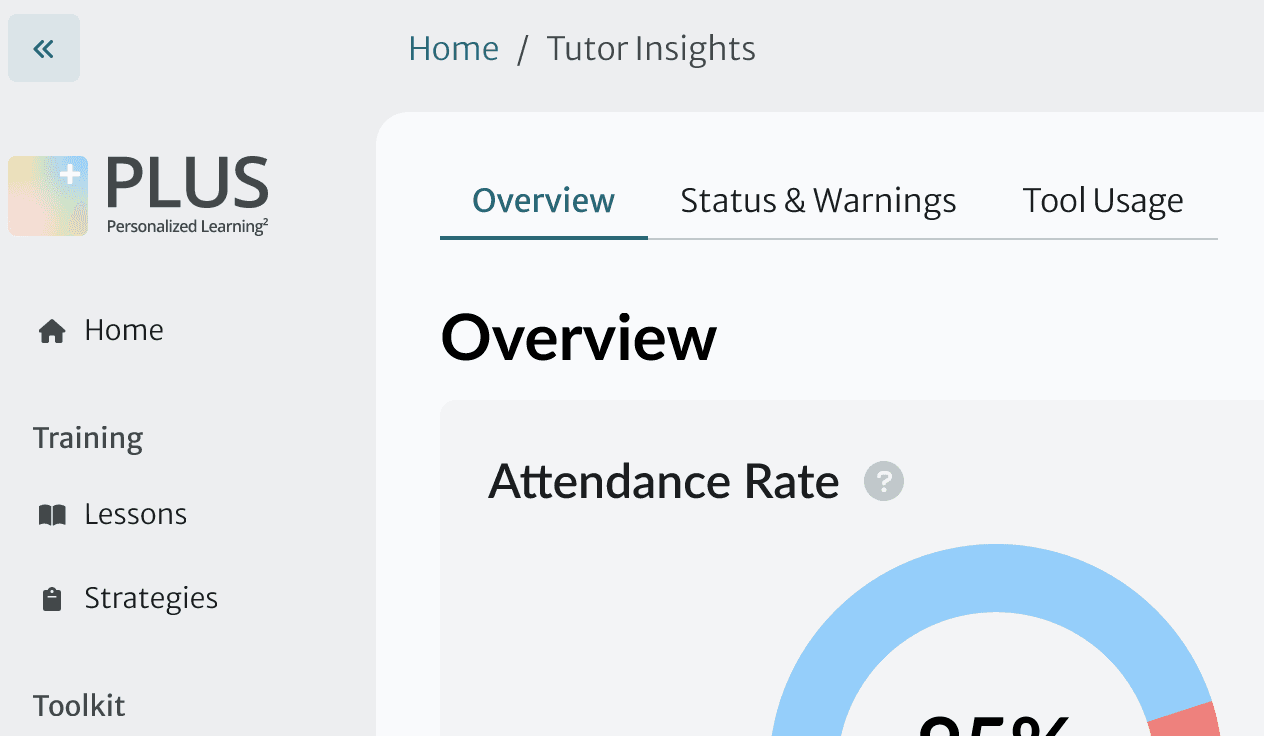
After: we reorganized content so that we could constrain ourselves to one menu item type from the design system

Adapting a modal

I adapted the design system’s customizable modal to allow supervisors to explore and change data about a specific tutor.
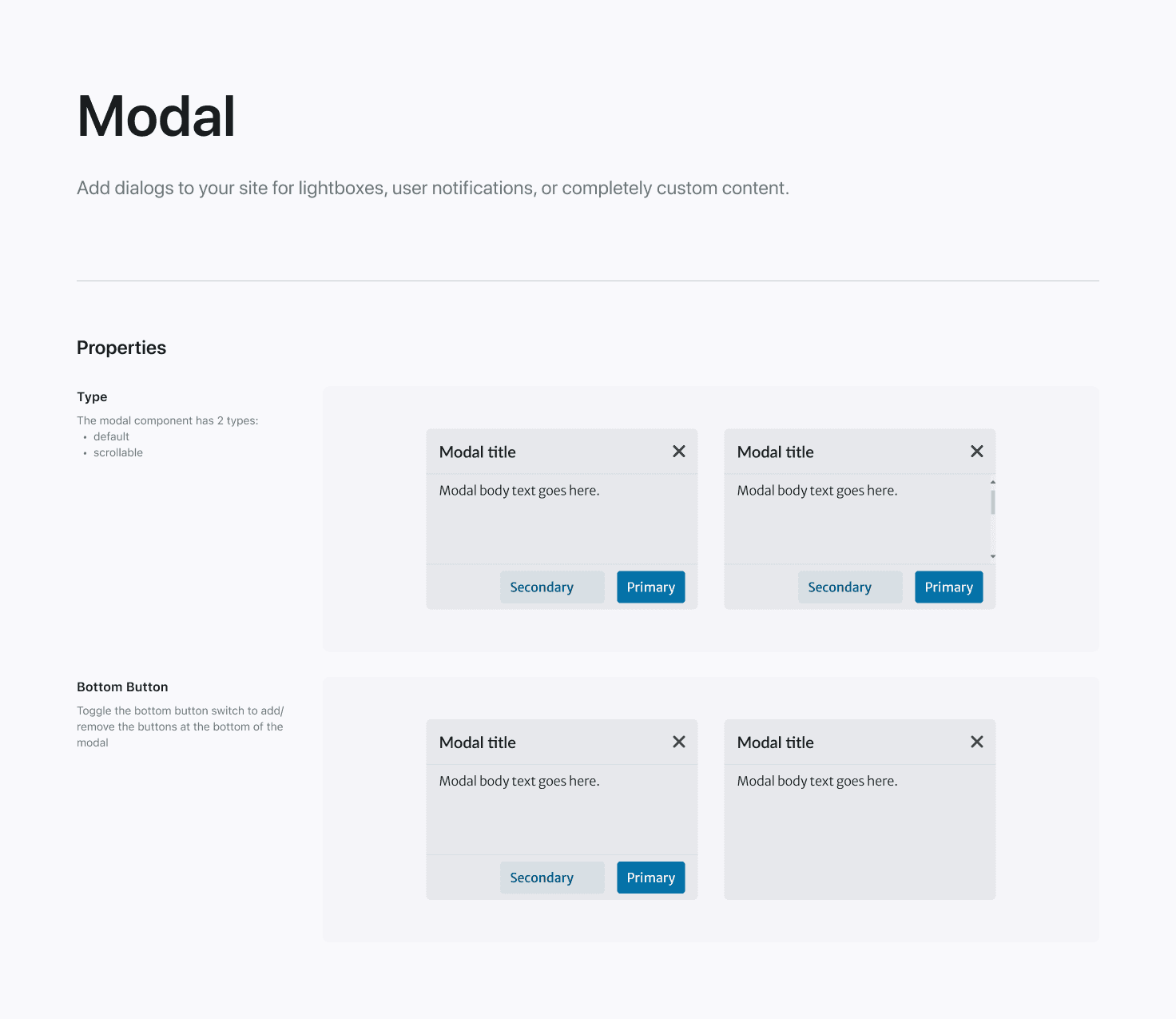
Modals as seen in the PLUS design system
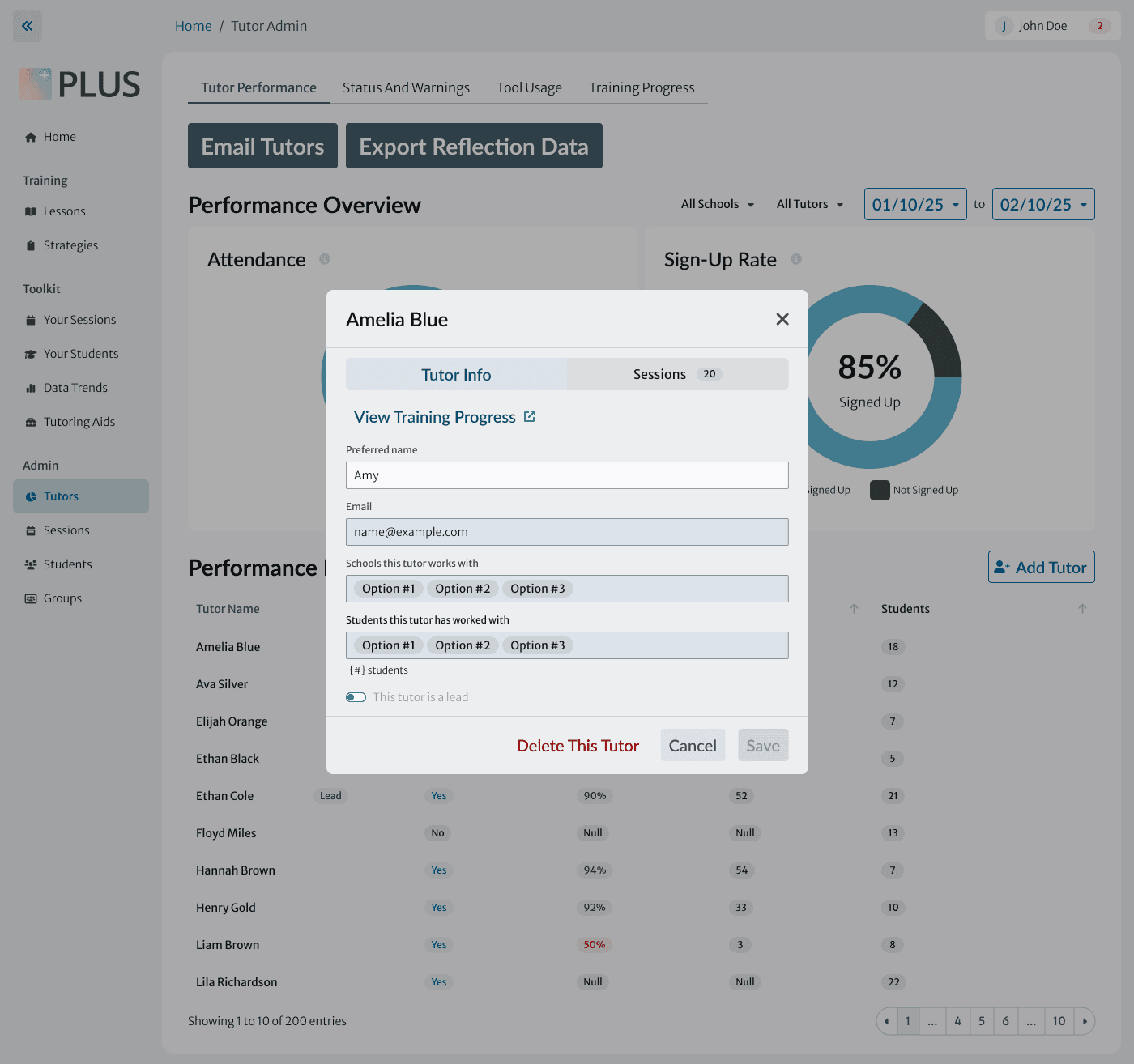
My modal for tutor details

Choosing a pagination variant

The design system allows for multiple sizes and styles of pagination. We consulted with the design system team and chose the medium-sized, unlabeled version for cohesiveness with similar dashboards elsewhere in the product.
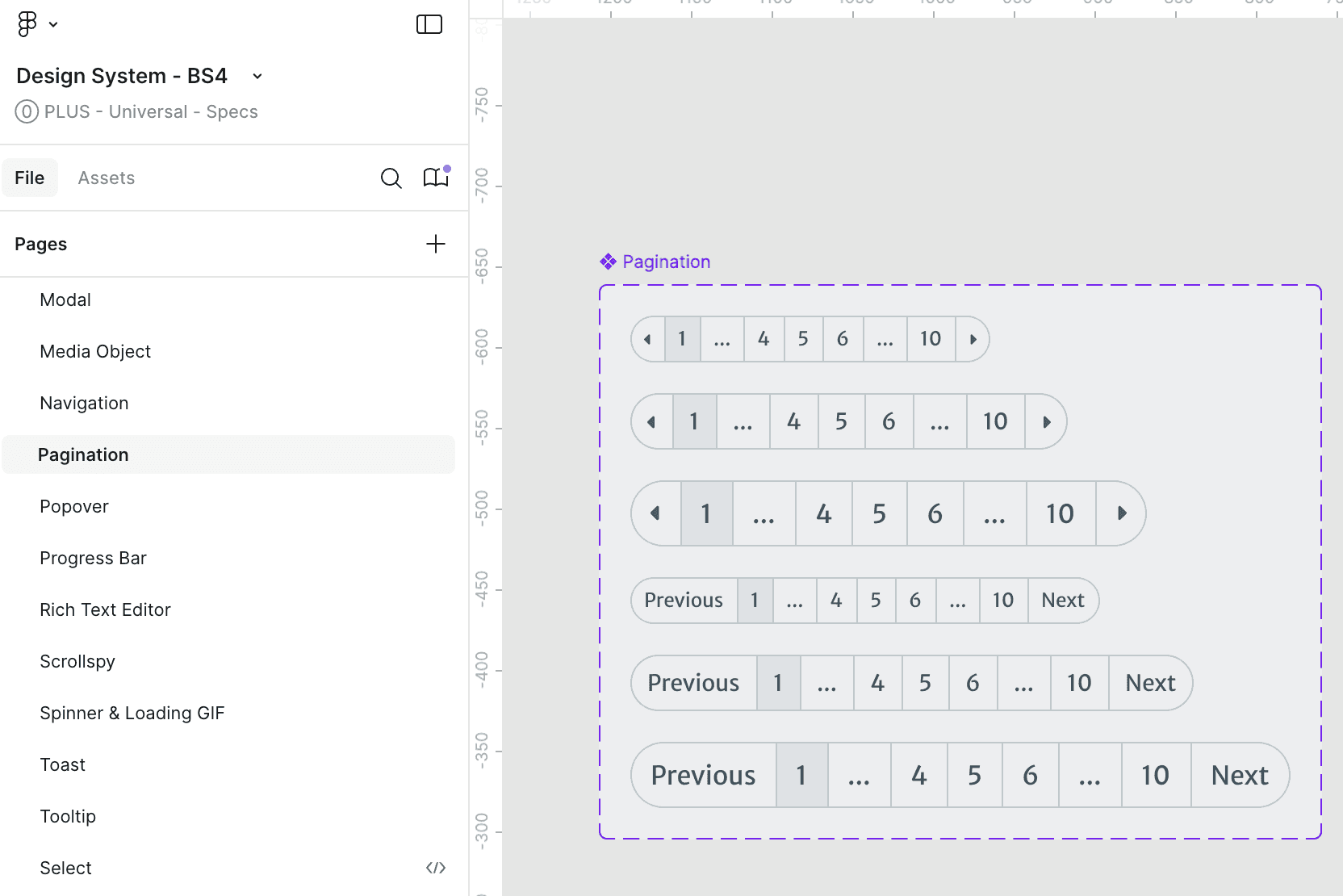
Pagination variants in the PLUS design system
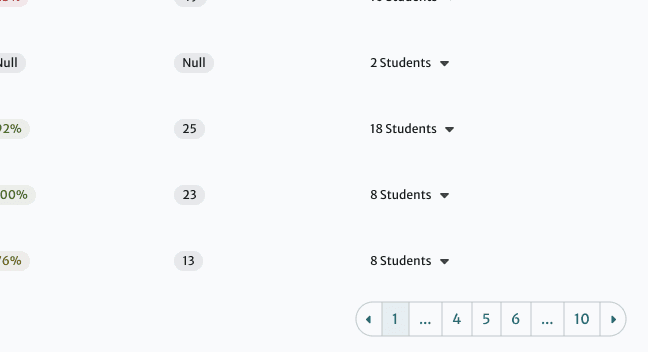
Pagination as seen in our dashboard

UI Refinement

Mapping all possible states of each table cell

With annotations for developers
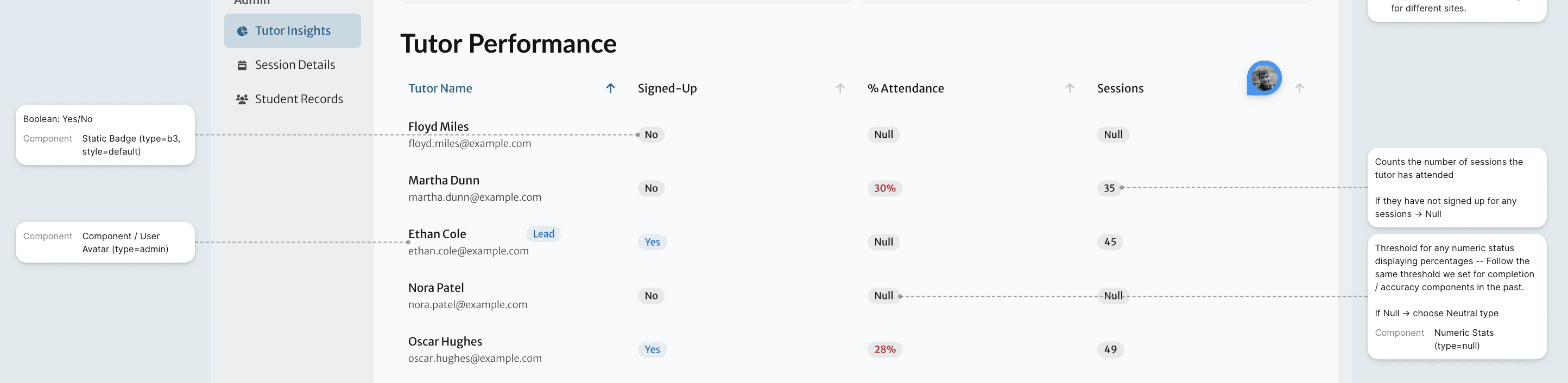
Paring down the data visualizations

Before:

Supervisors feel overwhelmed by the visualizations and immediately scroll past them.
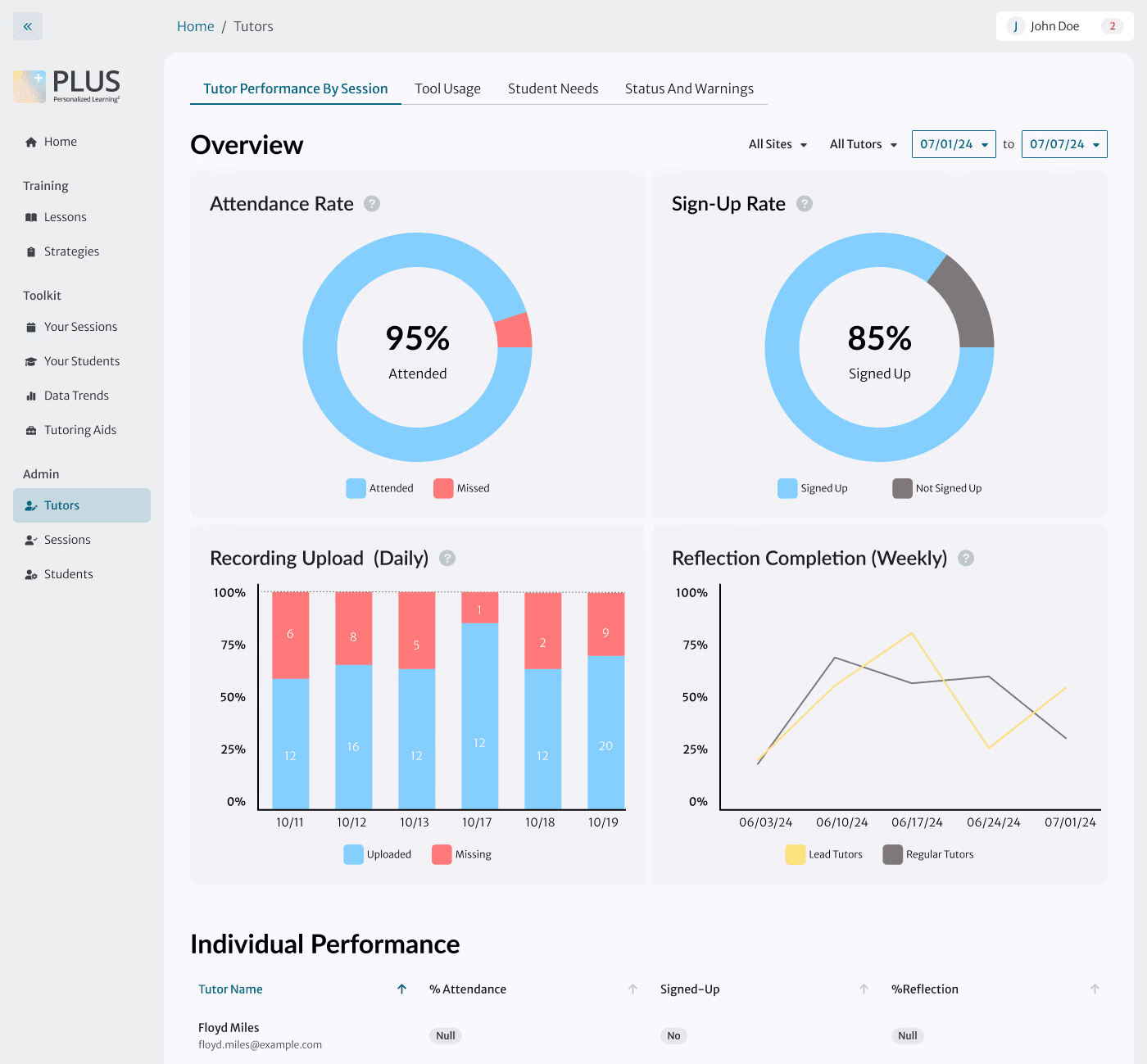
After:

We identified the most useful visualizations for each page in interviews with supervisors. Fewer visualizations, redesigned to take up less vertical space, orient without overwhelming.

Here's a closer look at my decision-making.

While a different design team owned the data visualizations themselves, I designed the container card and overall page hierarchy to make the best use of them.
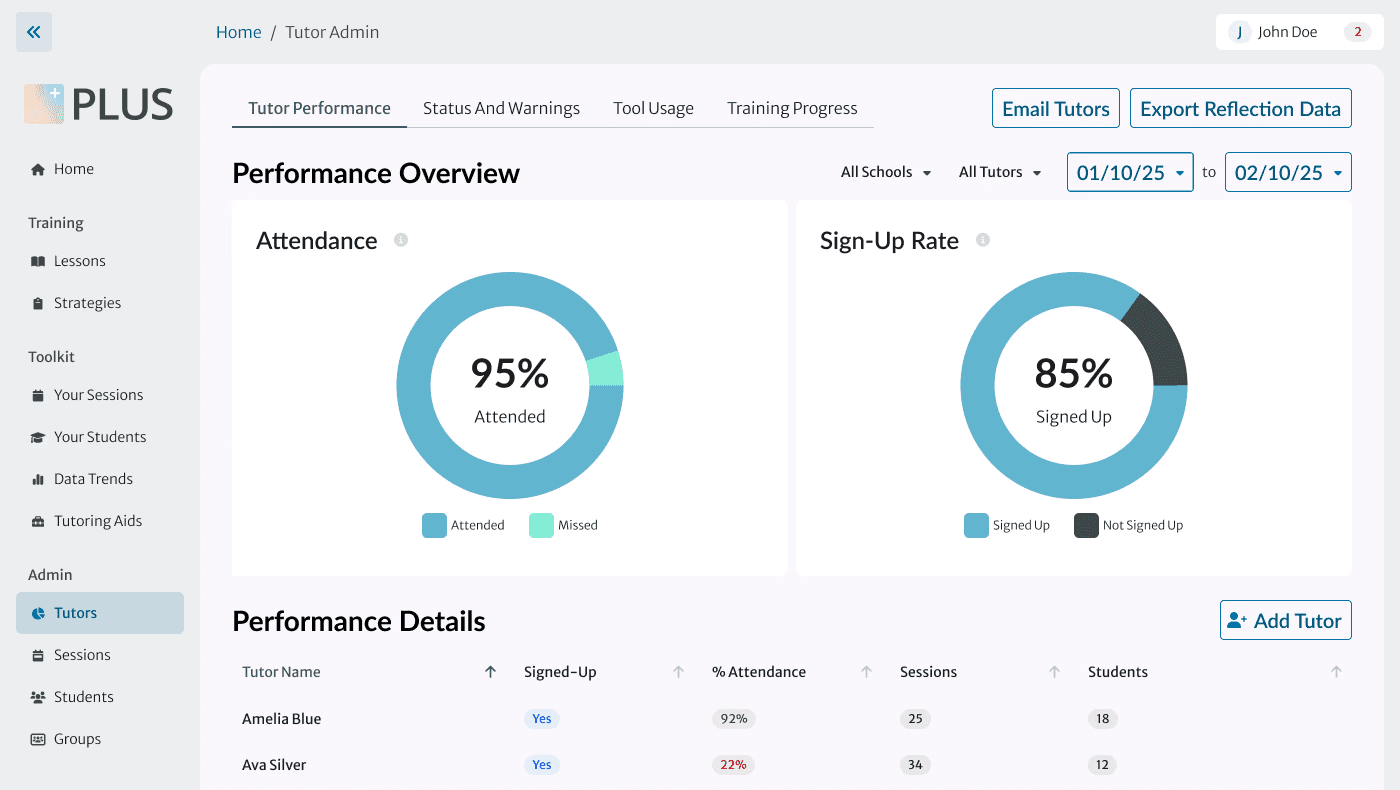
Supervisors told us they need to filter the data to analyze it and identify problem areas. We made the charts dynamic to match the filtering to assist this analysis.
Placing the visualizations on a lighter background than the parent container helped draw the eye to the most important info.
Card height = 2x height of an existing, text-only card. This height optimizes for graph readability while keeping graphs 'above the fold' at all breakpoints.
Supervisors told us they need to filter the data to analyze it and identify problem areas. We made the charts dynamic to match the filtering to assist this analysis.
Placing the visualizations on a lighter background than the parent container helped draw the eye to the most important info.
Card height = 2x height of an existing, text-only card. This height optimizes for graph readability while keeping graphs 'above the fold' at all breakpoints.
Supervisors told us they need to filter the data to analyze it and identify problem areas. We made the charts dynamic to match the filtering to assist this analysis.
Placing the visualizations on a lighter background than the parent container helped draw the eye to the most important info.
Card height = 2x height of an existing, text-only card. This height optimizes for graph readability while keeping graphs 'above the fold' at all breakpoints.
  • Placing the visualizations on a lighter background than the parent container helped draw the eye to the most important info.

  • Card height = 2x height of an existing, text-only card. This height optimizes for graph readability while keeping graphs 'above the fold' at all breakpoints.

  • Supervisors told us they need to filter the data to analyze it and identify problem areas. We made the charts dynamic to match the filtering to assist this analysis.

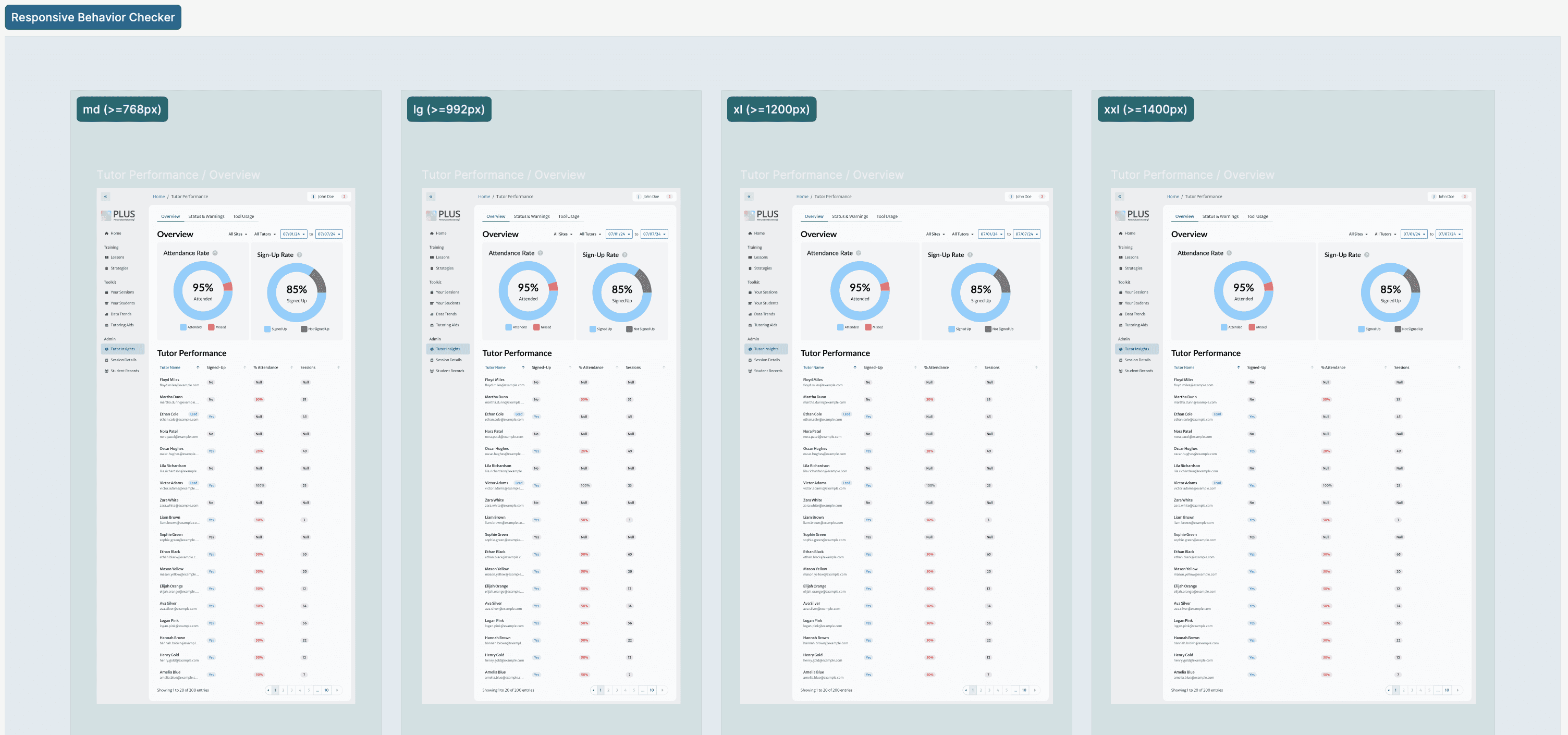
Ensuring responsiveness at 4 breakpoints
Pivot

Supervisor interviews didn’t tell the whole story.

PM feedback revealed gaps in our understanding of the problem, which we addressed in under a week.

During our research interviews, tutor supervisors discussed many issues with how they access data – but didn’t mention that they are responsible for creating much of the data themselves.

We ran a CRUD analysis with the PM to identify where and when supervisors create, read, update, and delete data. As a result of this analysis, I created a new Edit/Add Tutor modal giving supervisors full control of tutor data in one place.
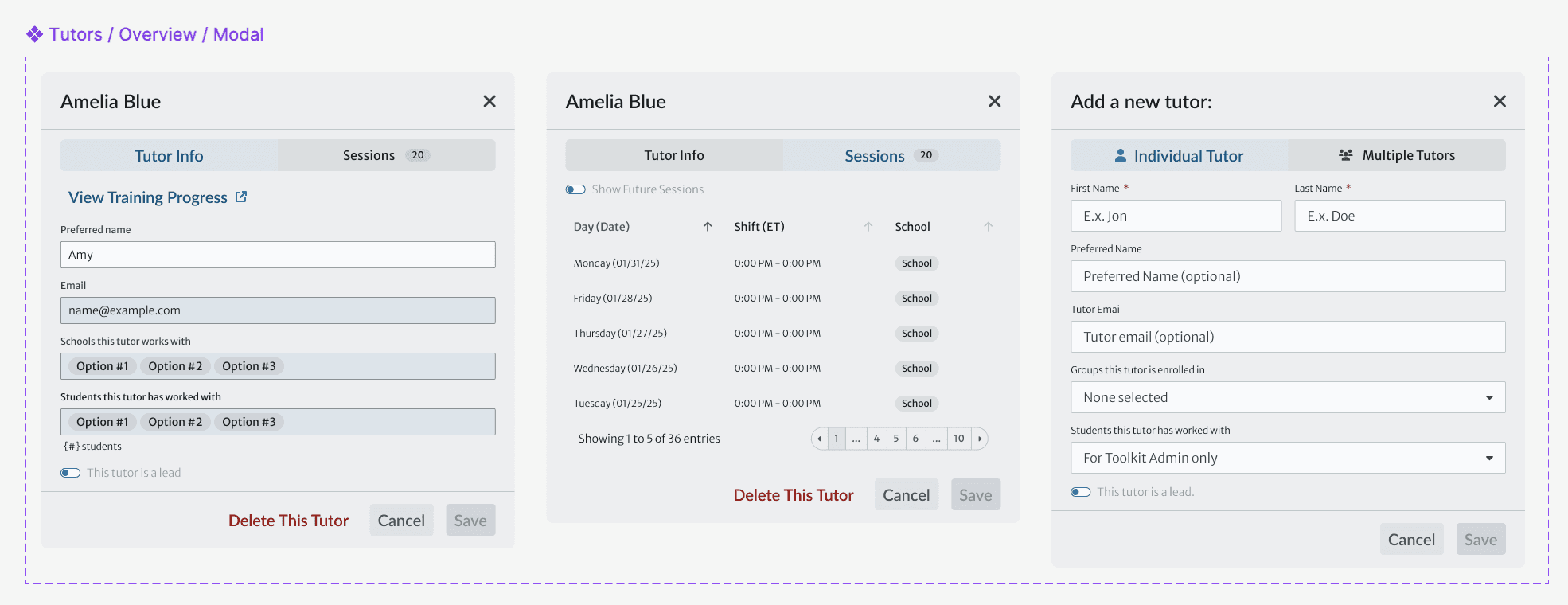
My new modal allowing supervisors to manage data about turos
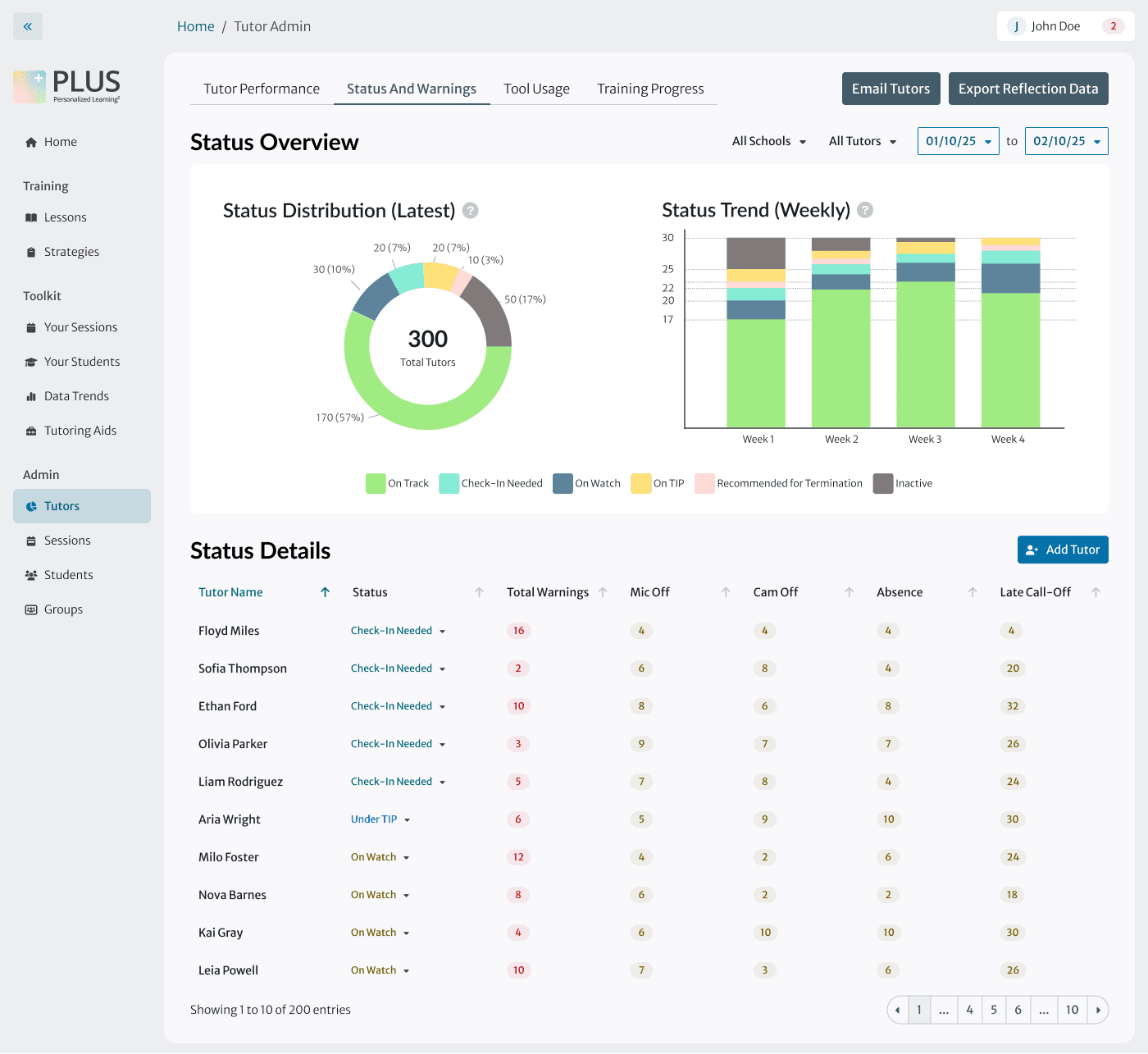
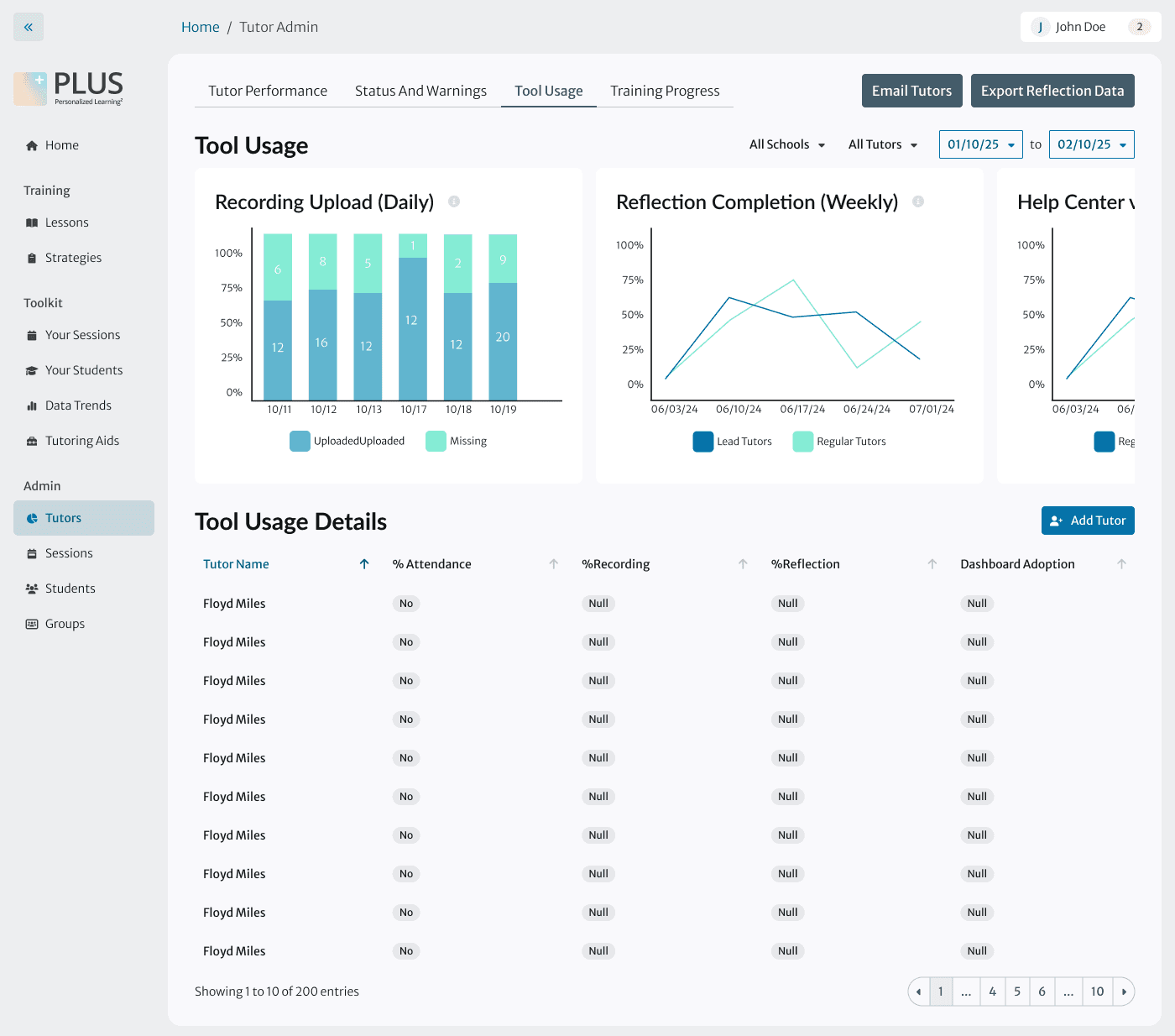
Shipped Designs

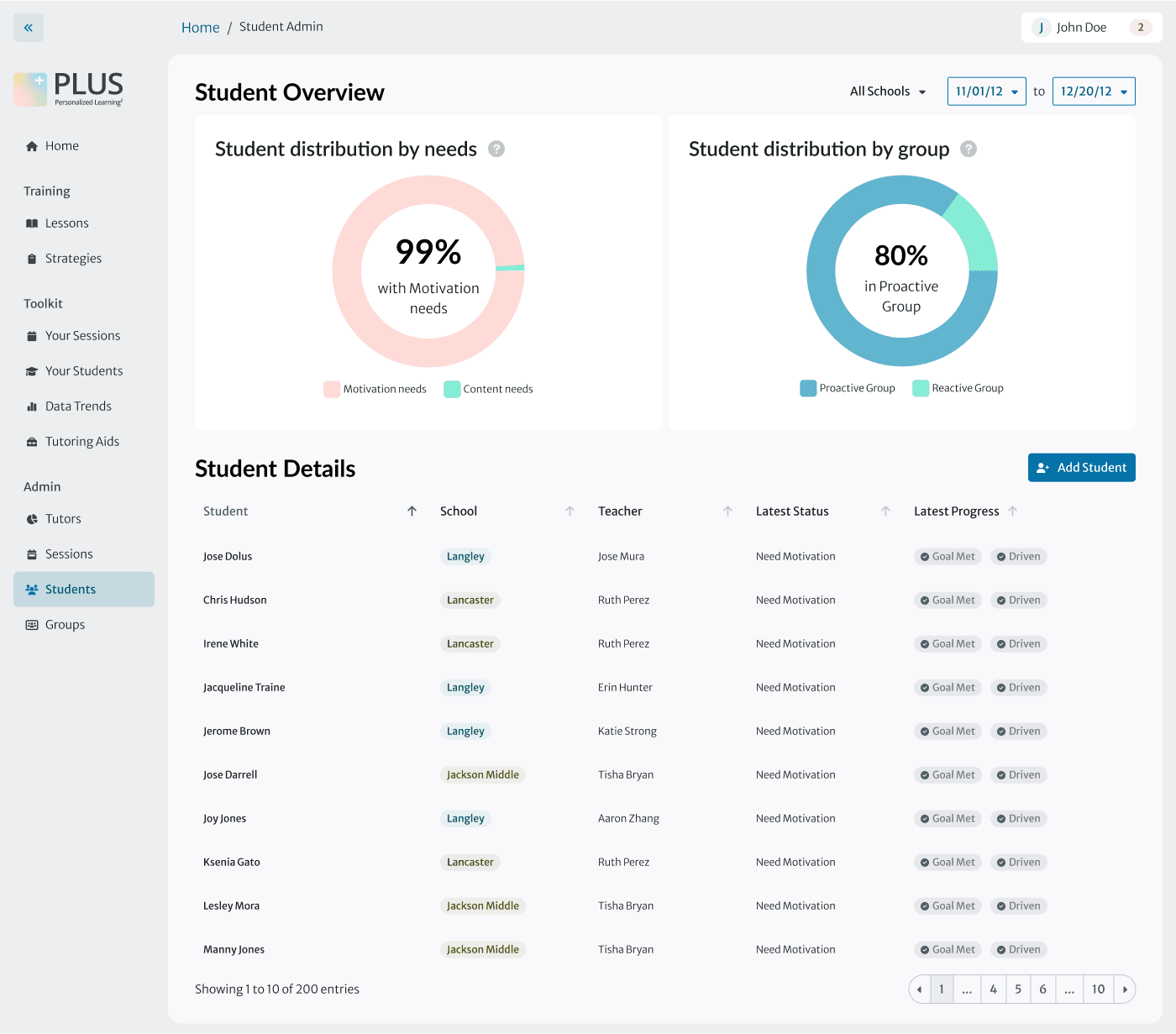
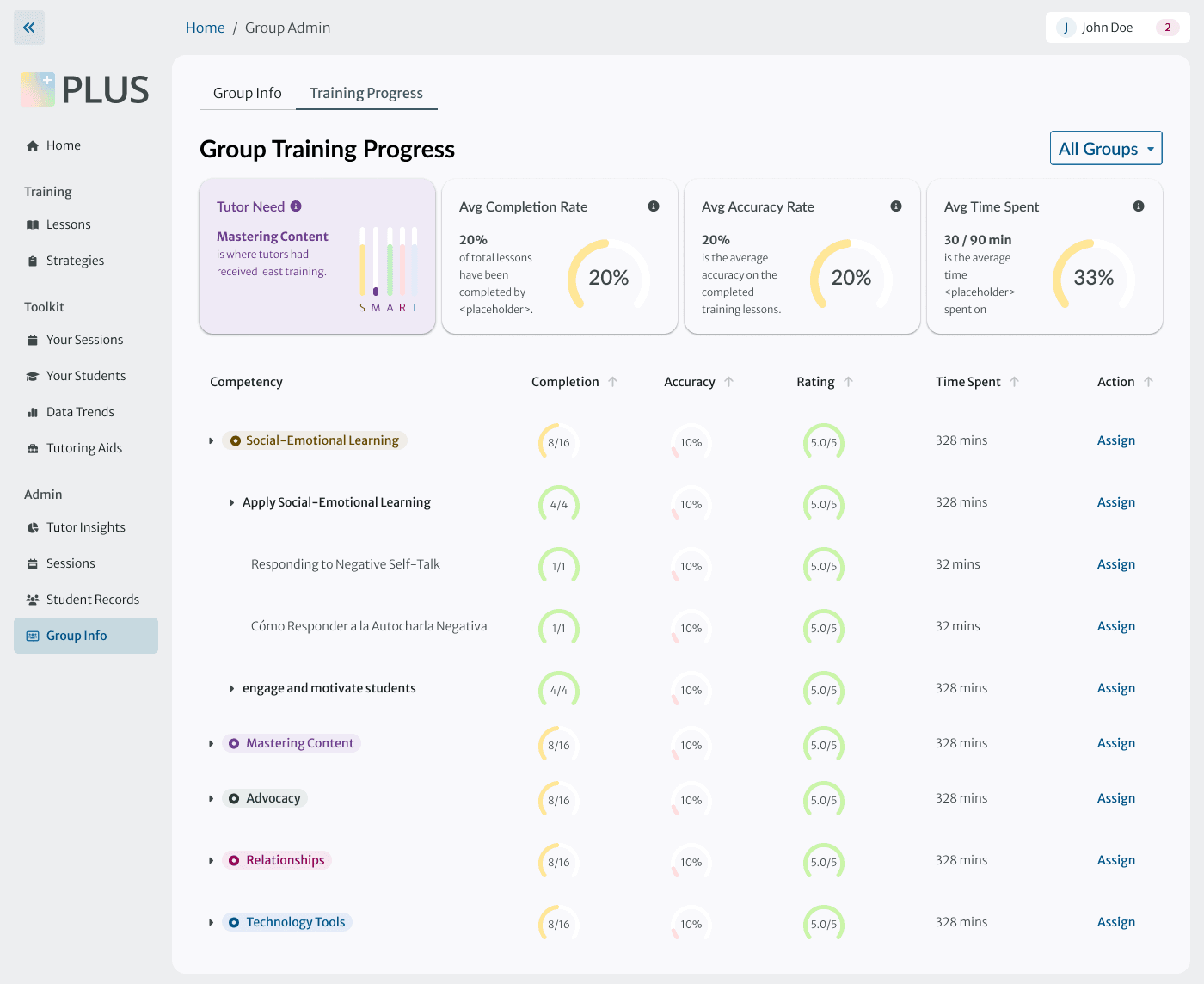
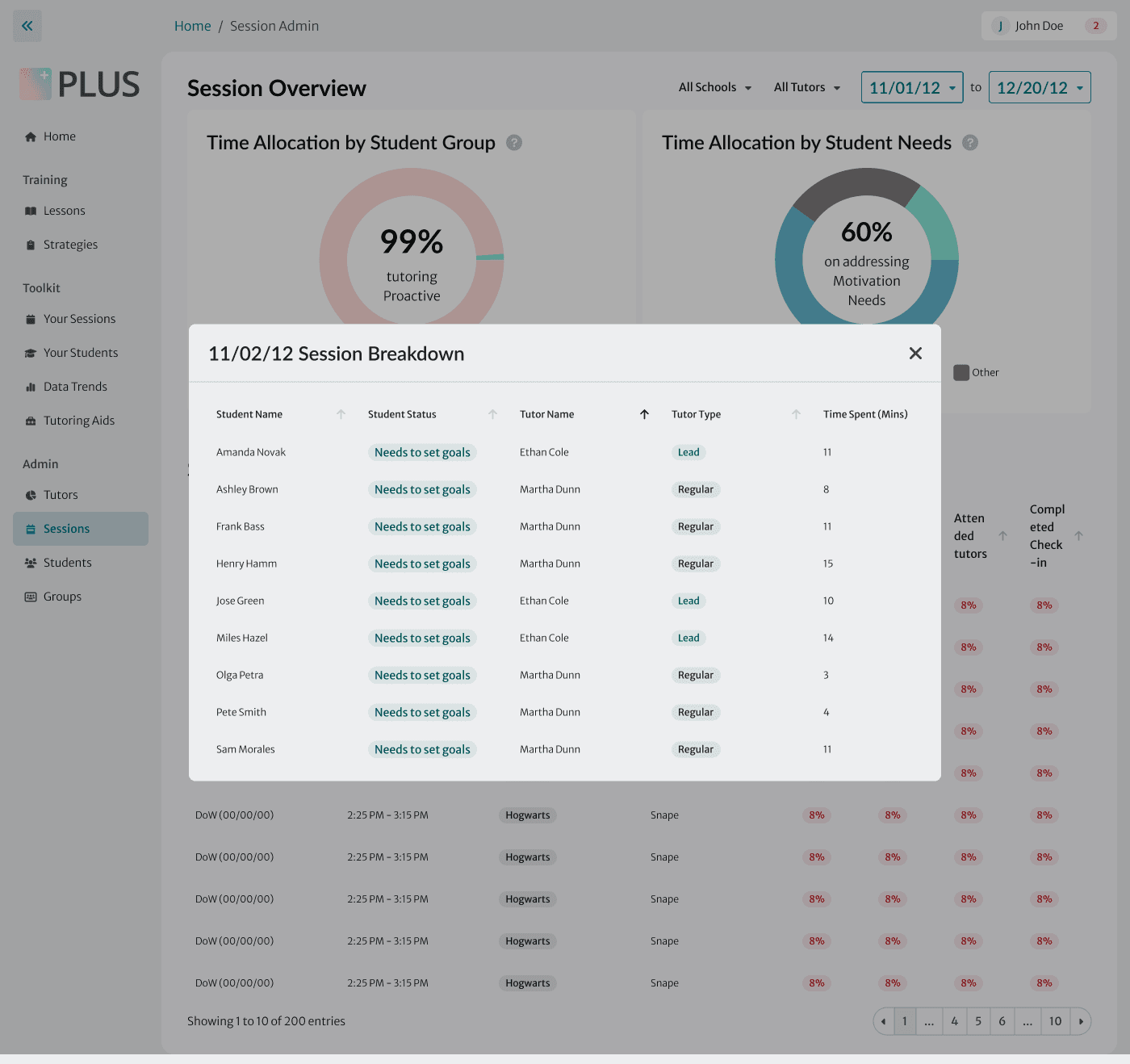
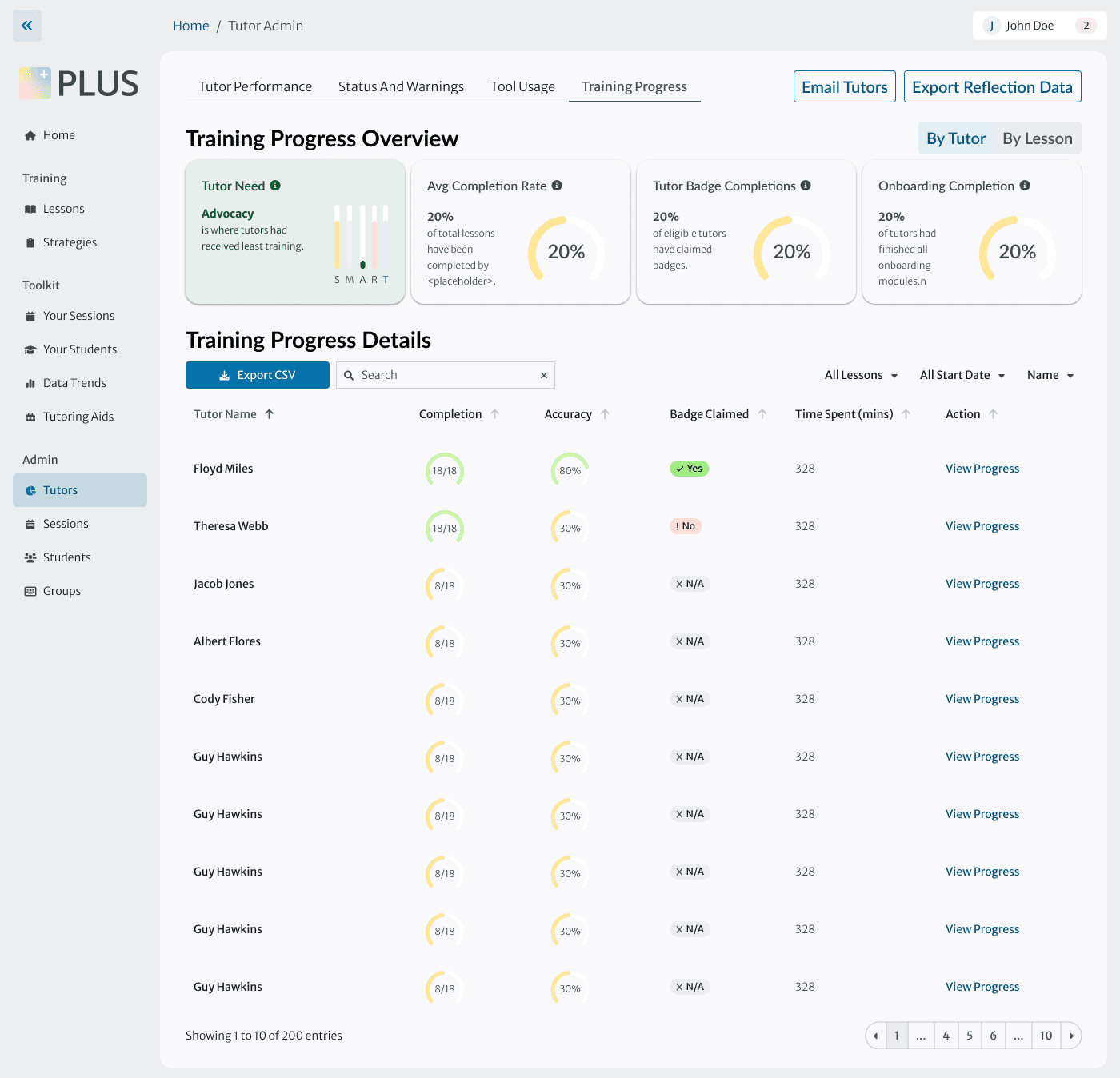
A selection of key screens shipped by our team to close out the design phase.

A selection of key screens shipped by our team to close out the design phase.

View More Projects

Coming soon: VR factory

View More Projects

It was great to meet you! Don't be a stranger.

It was great to meet you! Don't be a stranger.

It was great to meet you! Don't be a stranger.